

Market Orders and Slippage Tolerance
Market Orders execute immediately against available liquidity on the opposite side of the order book. They require at least some depth on the opposite side, otherwise nothing fills. When you submit a Market Order, Outcome uses two key values:-
Expected Price
- The best available price shown in the order ticket at the moment you submit the order.
-
Slippage Tolerance
- How far you are willing to move away from the Expected Price. The default is 20c and you can change this in the Trading Panel (Market).
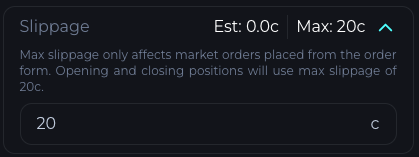
Price cap per level
For buys and sells, Outcome converts your Market Order and slippage tolerance into a hard worst price.Hard Price Slippage (cents)
S = max slippage tolerance (c). Default S = 20cBounds: 0.1c to 99.9c Tick size: 0.1c
Market Buy
maxAcceptedPrice = min(99.9c, bestAsk + S)Market Sell
minAcceptedPrice = max(0.1c, bestBid - S)Example
bestAsk 50c, next ask 65c, S = 14c → maxAcceptedPrice 64c → 65c will not fill The matching engine then sweeps the order book level by level:- Start from the best price on the opposite side.
- Fill against each price level that is inside your cap
- Stop as soon as the next price level would be outside your cap.
- Any remaining size that was not filled will stay on the book as a Limit order at your last fill price.
Execution price and displayed slippage
If your Market Order fills across multiple price levels, Outcome calculates a single execution price using VWAP.Displayed slippage is then:
This gives you:
- A hard protection level on each individual fill price.
- A single average execution price across all fills.
- A clear ¢ based slippage cap relative to the price you saw when you clicked trade.